
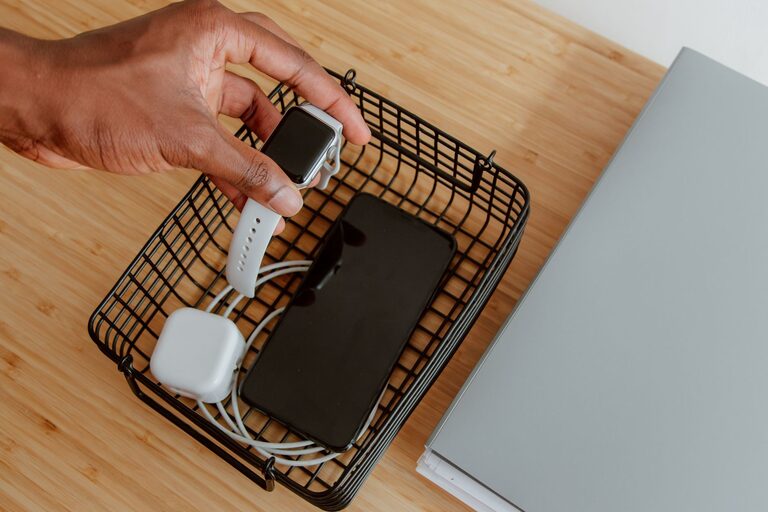
Setting up a charging station at home can simplify the way you power your devices. Instead of hunting for outlets or dealing with tangled cords, having a dedicated space keeps everything organized and accessible. Whether you have smartphones, tablets, wireless earbuds, or smartwatches, a well-planned station can handle them all.
In this guide, we’ll cover everything you need to know to create an efficient charging station that fits your needs. Let’s get started!
Why Create a Charging Station?
Before diving into setup, consider the benefits of having a charging station:
– Organization: No more tangled cables or misplaced chargers.
– Efficiency: Multiple devices charge simultaneously in one spot.
– Safety: Reduces risk of damaged cords or overheating.
– Aesthetic appeal: Keeps your space neat and clutter-free.
Planning Your Charging Station
Assess Your Needs
Start by listing the devices you want to charge regularly. Common items include:
– Smartphones
– Tablets
– E-readers
– Wireless headphones or earbuds
– Smartwatches
– Portable battery packs
Knowing how many devices and what types will influence your choice of chargers and the size of your station.
Choose a Location
Pick a central, easily accessible area such as:
– A desk or office space
– A kitchen counter
– A nightstand or bedroom dresser
– A hallway console table
Make sure the spot has enough electrical outlets or can be enhanced with power strips.
Consider Power Sources
Charging stations can use:
– Standard wall outlets
– Power strips with surge protection
– USB charging hubs
– Wireless charging pads or stands
Make sure your power source matches your devices’ requirements and consider safety features like surge protectors.
What You’ll Need
Here’s a basic checklist for setting up your charging station:
– Power strip or charging hub: Choose one with enough outlets or USB ports.
– Charging cables: Ensure you have cables compatible with your devices.
– Cable organizers: Velcro straps, clips, or sleeves to keep cords neat.
– Charging stands or docks: Optional, but great for wireless or specific devices.
– Storage container or tray: To hold devices and accessories.
– Label tags (optional): To identify cables and ports.
Step-by-Step Setup Guide
Step 1: Prepare the Area
Clear the surface and clean it to provide a tidy workspace. Ensure the power outlets in the area work and are safely accessible.
Step 2: Arrange Power Sources
Plug in your power strip or charging hub near the center of the station surface. If you use a hub, connect it to the power strip or wall outlet.
Step 3: Lay Out Cables
Connect your charging cables to the power source. Use cable organizers to group cables by type or device. Keep cords short to reduce clutter or use cable sleeves to bundle longer wires.
Step 4: Set Up Device Holders
Place charging stands or docks on the surface to hold devices upright or flat, depending on the design. Wireless charging pads should be placed where they won’t be easily knocked over.
Step 5: Add Storage for Accessories
Use small trays or containers for extra accessories like earbuds, charging bricks, or portable batteries. This keeps everything in one place and easy to find.
Step 6: Label Cables and Ports (Optional)
Labeling cables can save time, especially if you have multiple similar devices. Use simple stickers or tags to identify each cord.
Tips for a Successful Charging Station
– Avoid Overloading: Don’t plug too many devices into one outlet; check power strip limits.
– Keep Ventilated: Some chargers and devices can heat up, so avoid stacking items.
– Use Quality Chargers: Ensure all chargers and cables are certified and in good condition.
– Regularly Inspect: Check cables and power sources periodically for damage.
– Customize: Feel free to decorate or personalize your station to match your space.
Wireless Charging Considerations
If you want a wireless charging station:
– Check compatibility with your devices (Qi standard is common).
– Place chargers away from metal objects to prevent interference.
– Use stands that support your device’s charging orientation (flat or upright).
– Combine wireless and wired charging if you have multiple device types.
Maintenance and Upkeep
Keep your charging station tidy by:
– Removing dust regularly
– Untangling cables as needed
– Updating any faulty chargers or cables promptly
– Rearranging the setup if device needs change
Final Thoughts
Setting up a charging station helps keep your devices powered and your space organized. With a little planning and the right tools, you’ll enjoy a clutter-free area where charging is quick and convenient. Start small and expand your station as your device collection grows. Happy charging!
About the Author